Building an AI Mosaic Generator in One Night
View on GitHubI'll be honest — this one was just for fun. I saw some cool AI-generated collages floating around the internet, and I wanted to try making one myself to see how it worked. I threw this together in one night as a personal project.
The idea was simple: take a photo, tile it out into a grid, and have AI regenerate each section in a different artistic style. One tile might be impressionist watercolor, another cyberpunk neon, another Studio Ghibli anime — all from the same source image. Every tile unique, but the overall composition still holds together.
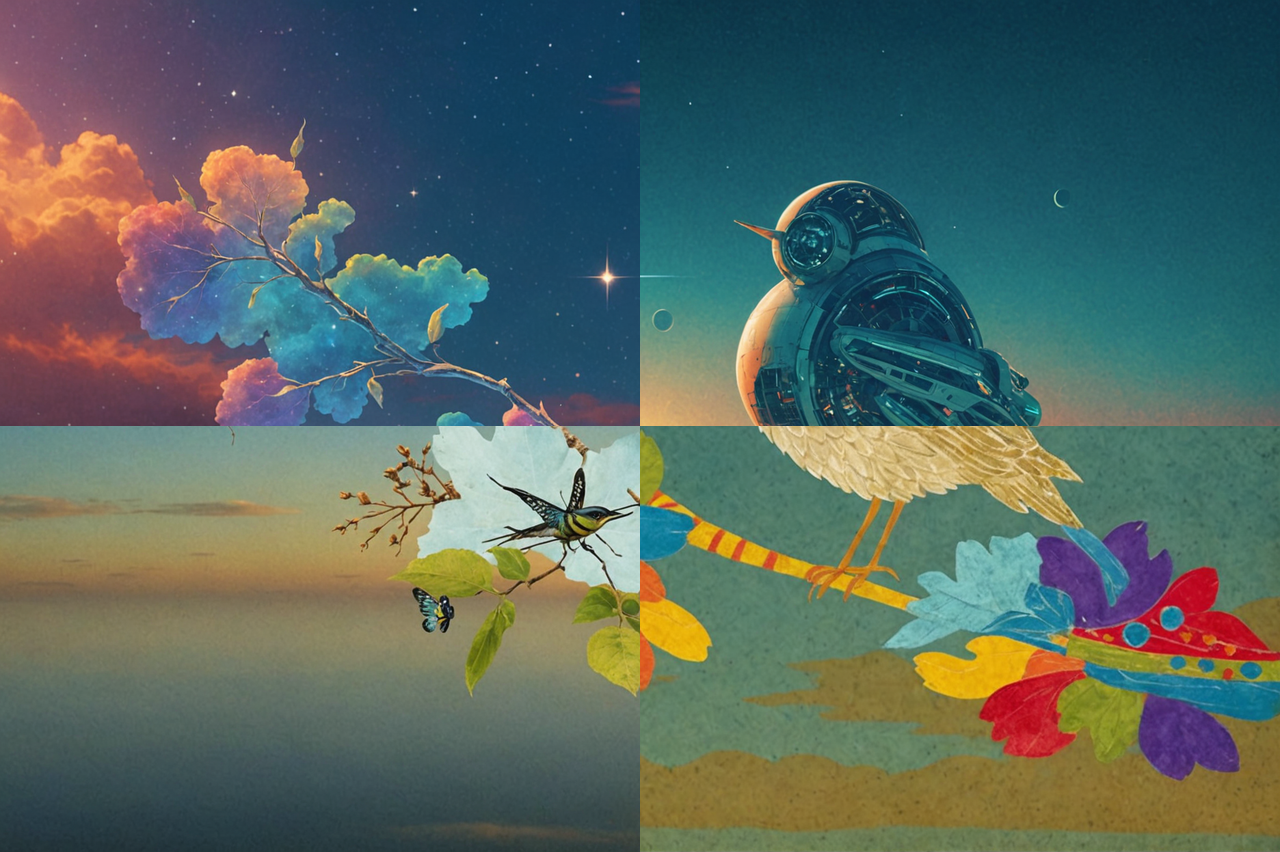
The First Approach (That Didn't Work)
My first instinct was straightforward: split the image into tiles, take the first tile, send it to the AI and say "hey, regenerate this in some artistic theme." The problem was that once I sent in just a single tile, the AI had no context for what the entire image was.
If there was a line for someone's shoulder or the edge of a bookshelf in that tile, the AI didn't know that. It assumed the little snippet I was giving it was the entire image. So it would generate a whole scene crammed into that one small tile — maybe keeping some of the key features, but there'd be an entire landscape or composition squeezed into what was supposed to be one piece of a larger picture. It just added way too much.
I tried to fix it with prompt engineering — I wrote a second GPT-4o-mini call that would analyze each individual tile and describe what it thought it was seeing ("an edge of grass with part of a brown shape"), then pass that description into the regeneration prompt as extra context. It didn't help. The model was still hallucinating entire scenes because the fundamental problem was that a single tile genuinely doesn't have enough information to identify a subject. No amount of describing "I see part of a brown shape" fixes that. I scrapped the function and moved on.
The Fix: Style the Whole Image, Then Cut
What I did instead was send the entire image into the AI and say "here's the theme we're going for — regenerate this whole image in that theme, and try to keep the key features." When I did it that way, I got a much better result back. The entire scene would be transformed into the new style, but the composition stayed intact.
After that, I'd just crop out the specific tile I needed from the styled version. So for each tile position in the grid, I'd:
- Send the full original image to the AI with a unique theme
- Get back a fully styled version of the entire image
- Cut out just the tile region I needed
- Place it into the final mosaic
This way, every tile inherits the context of the full scene. The bird's wing continues naturally across tile boundaries, the horizon stays consistent, and nothing gets crammed into a space it doesn't belong in.
How It Actually Works
The pipeline chains two AI services together:
GPT-4o-mini generates the artistic themes. I set the temperature to 1.0 — maximum creativity — so every run produces completely different style combinations. Every run is different, which honestly makes it fun to just keep running and see what comes out.
Stability AI's Control Structure API does the actual image transformation. It takes the full image and a style prompt, and re-renders everything while preserving the spatial layout — where subjects are, where the horizon sits, the overall composition. There's a control_strength parameter (0.0–1.0) that controls how much of the original structure to keep. At the default of 0.9, the subject and scene stay recognizable but the artistic transformation is pretty dramatic.
Where It Struggles
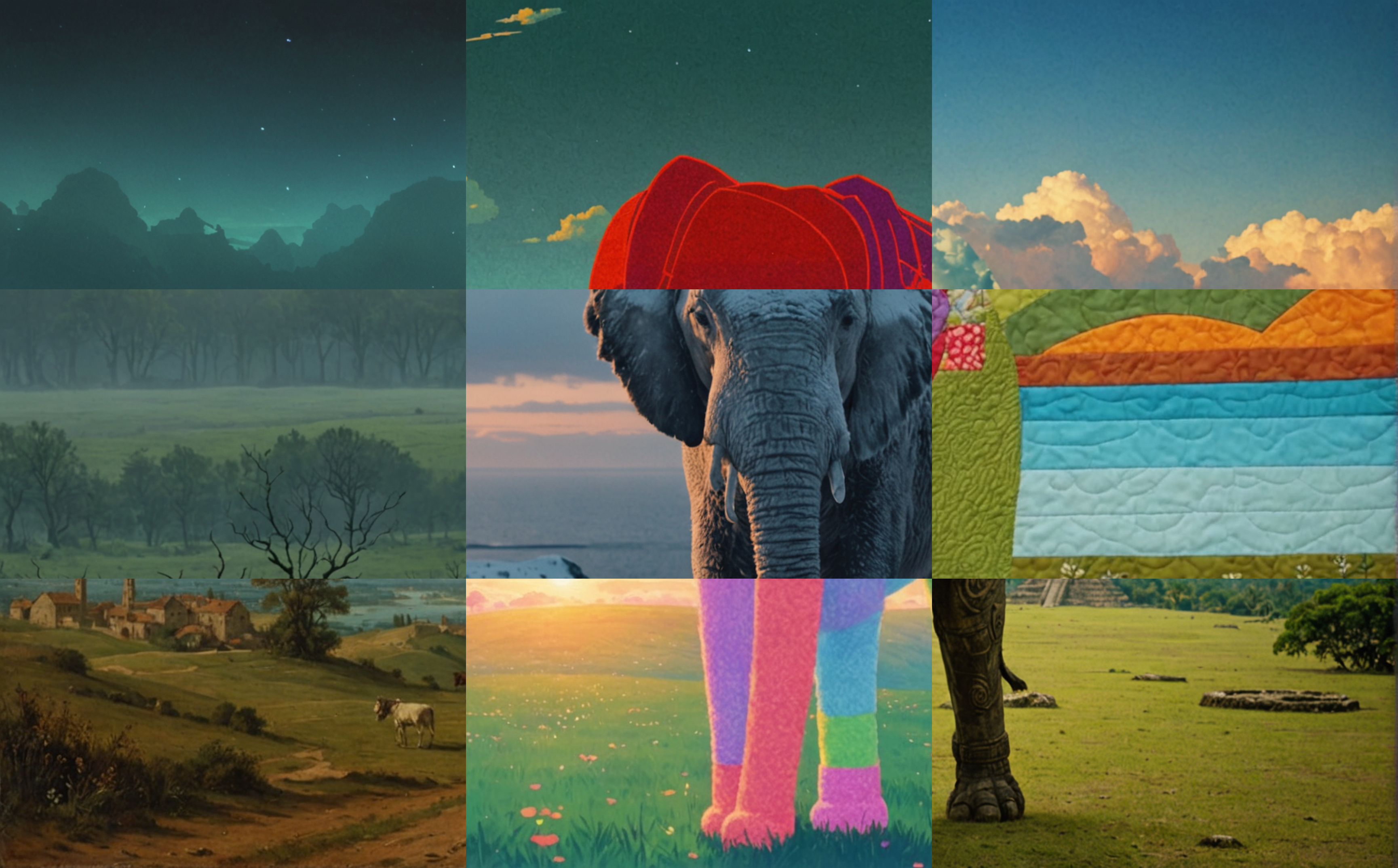
The tool works really well for broad scenes — landscapes, animals at a distance, that kind of thing. The elephant mosaic is probably my favorite output. Each tile is clearly a different artistic style, but the elephant's shape and the scene composition hold together across all of them.
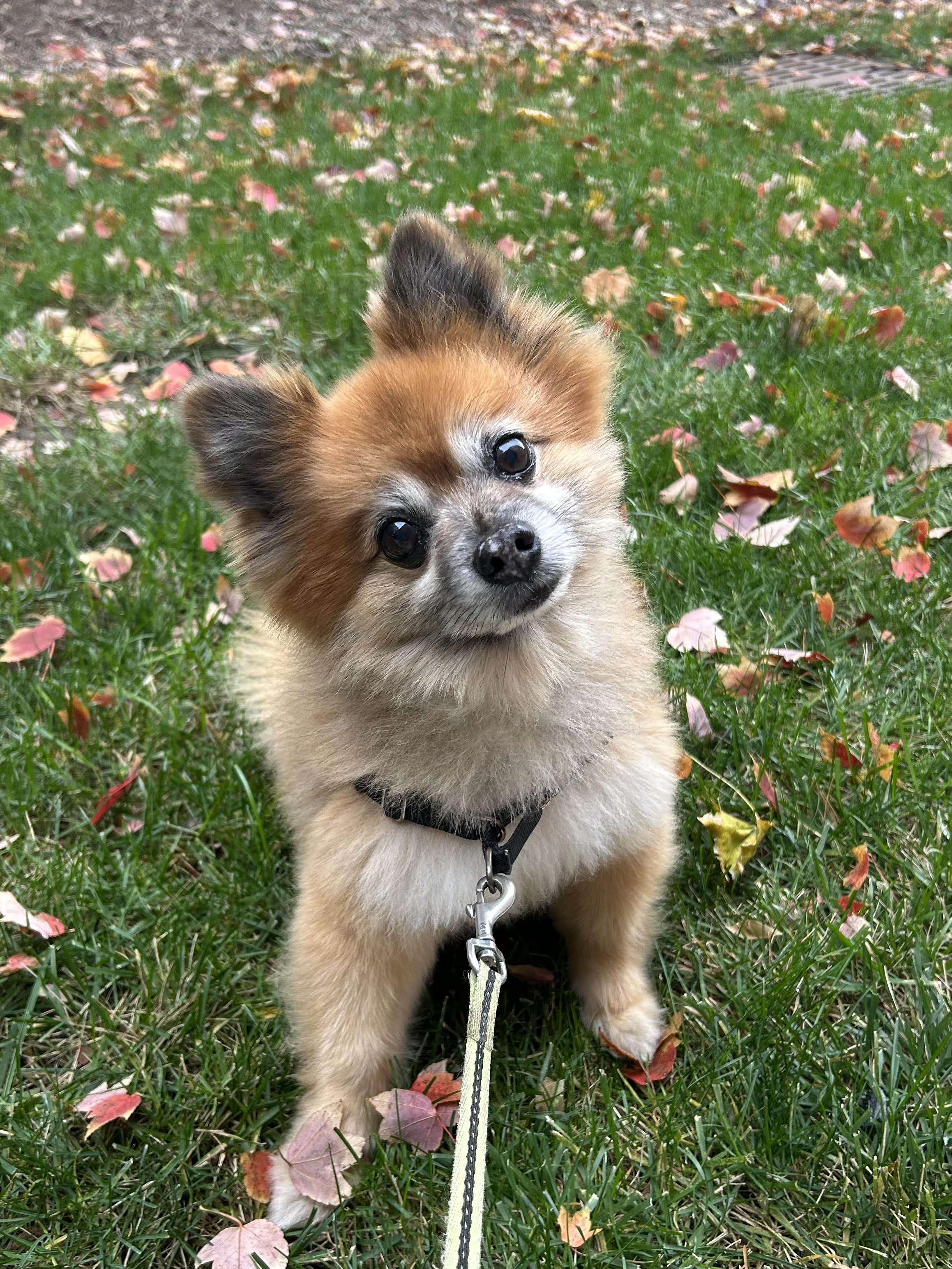
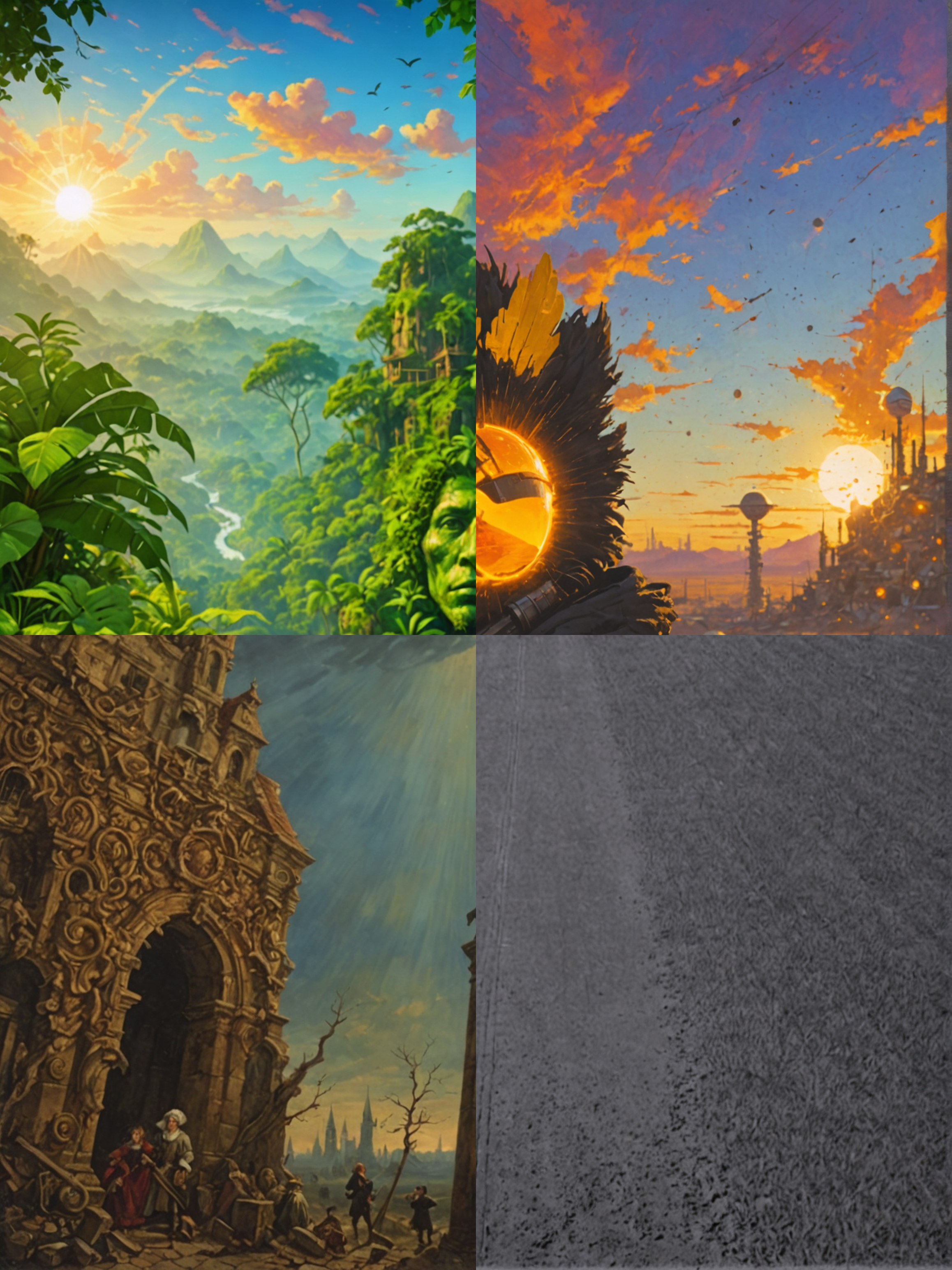
But when I started giving it close-up images, things fell apart. I tried running it on a photo of my dog Wilson, and it couldn't figure it out at all. It completely destroyed the image — one tile turned him into a jungle, another into some kind of baroque cathedral, and one was just a grey void. Zero dog remaining. It went too far with trying to recreate the scene and lost the actual subject entirely.
The other thing I noticed is that human faces are a real problem. The AI would do a decent job of transforming the overall scene into the new theme, but it didn't keep the characteristics of the person. It gave every face that classic AI look — there's like a couple of default faces that AI always gravitates toward, and it would fully morph into one of those no matter what I did. Even when I cranked the control_strength all the way up to basically not altering anything, it would still drastically change whatever face I inputted. I found that pretty interesting — it's like the model just can't help itself when it comes to faces.
Coming Back To It
A few weeks later I came back to this. The two things that bothered me most were the close-up problem (Wilson becoming a jungle) and the face morphing. I wanted to see how far I could push the existing pipeline — same model, same API — just through better prompt engineering. No swapping in new tools, no fancy segmentation, just smarter prompts.
Figuring Out What Was Actually Wrong
The root issue was that the theme generator was producing scene-based themes. If GPT-4o-mini picked something like "Psychedelic jungle fantasy," Stability AI would take that literally and try to build an actual psychedelic jungle, overwriting whatever was in the source image. That's why Wilson became a jungle — the theme told the model to make a jungle, and the structure control wasn't strong enough to override that.
So the first change was making the theme generator produce style-only descriptions. Never scene or subject descriptions. Things like:
- "Impressionist watercolor with soft visible brushstrokes"
- "Bold pop art with halftone dots and thick black outlines"
- "Dark moody oil painting with dramatic chiaroscuro lighting"
Instead of:
- "Cyberpunk neon city"
- "Steampunk Victorian laboratory"
- "Haunted gothic castle"
I put the bad examples directly in the prompt and told the model not to generate them. It's much more disciplined now.
The Second Half of the Fix
The second change was bringing back that image-description function I'd scrapped at the beginning. Same idea — a GPT-4o-mini call to analyze an image and describe what it's looking at — except this time I pointed it at the whole source image instead of individual tiles. The trick was getting the right level of abstraction — not too descriptive, not too vague. I didn't want it saying "a brown Pomeranian running across a green meadow with autumn leaves in the background and a blue sky overhead," because then every run looks basically the same regardless of theme. I wanted something more like "a small dog sitting on grass surrounded by autumn leaves."
I used examples in the prompt to force it to use general categories ("a dog," not "a Pomeranian"; "a person," not "a young woman") and keep it under 25 words. Then that description gets injected into every Stability AI call as an anchor. So the prompt that hits the API becomes something like:
"A watercolor pastel with soft visible brushstrokes — A small fluffy dog sitting on grass surrounded by autumn leaves."
Now the model knows what it's looking at, the style tells it how to render it, and the structure control handles the composition. Three signals instead of one.
Wilson, Round Two
Here's Wilson in the new pipeline. Same dog, same photo, completely different result:
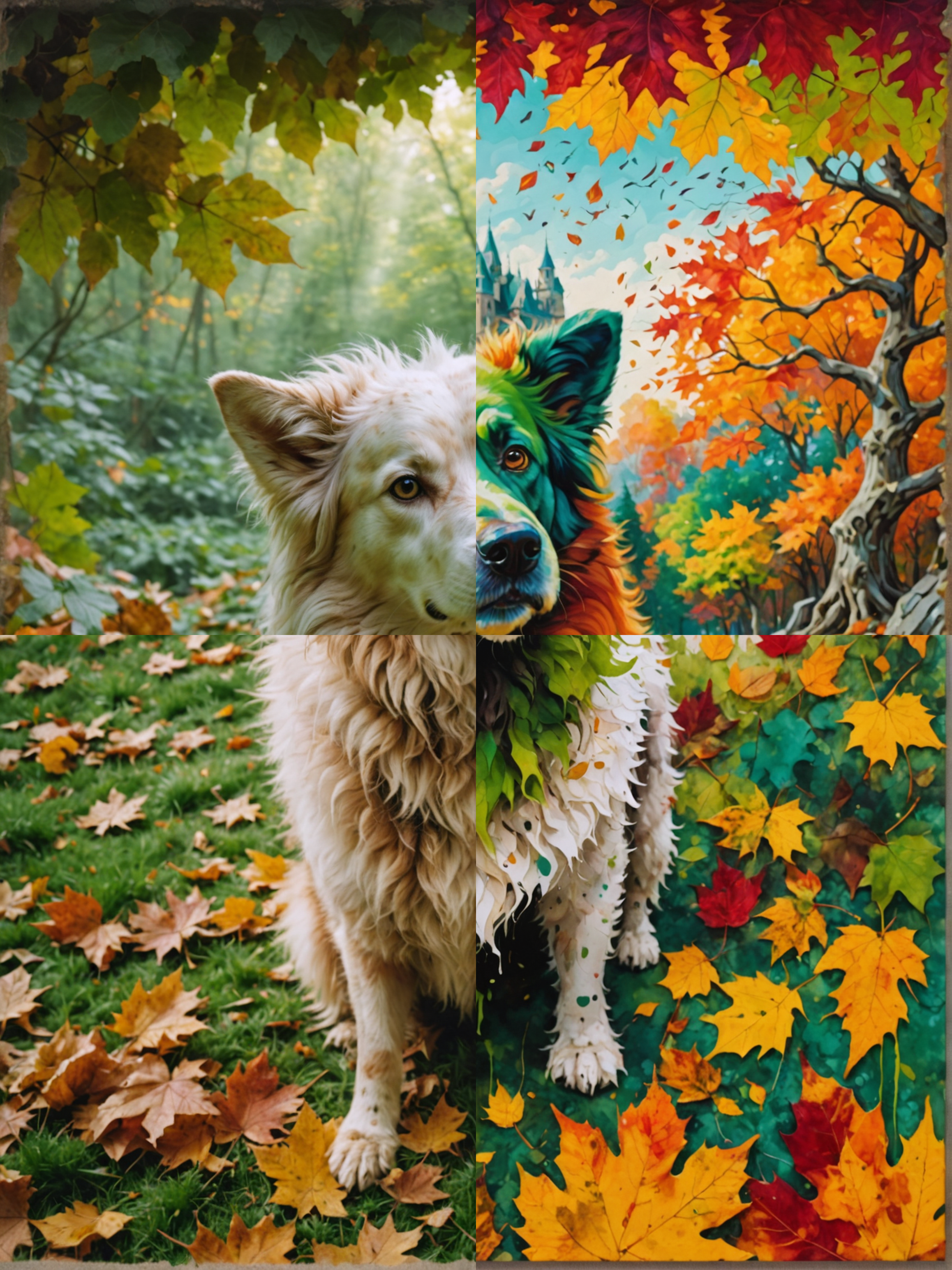
He's clearly a dog. The pose is intact, the fur translates through different styles, and the composition holds together. Compared to the original disaster where he became a jungle and a baroque cathedral, this is a real win.
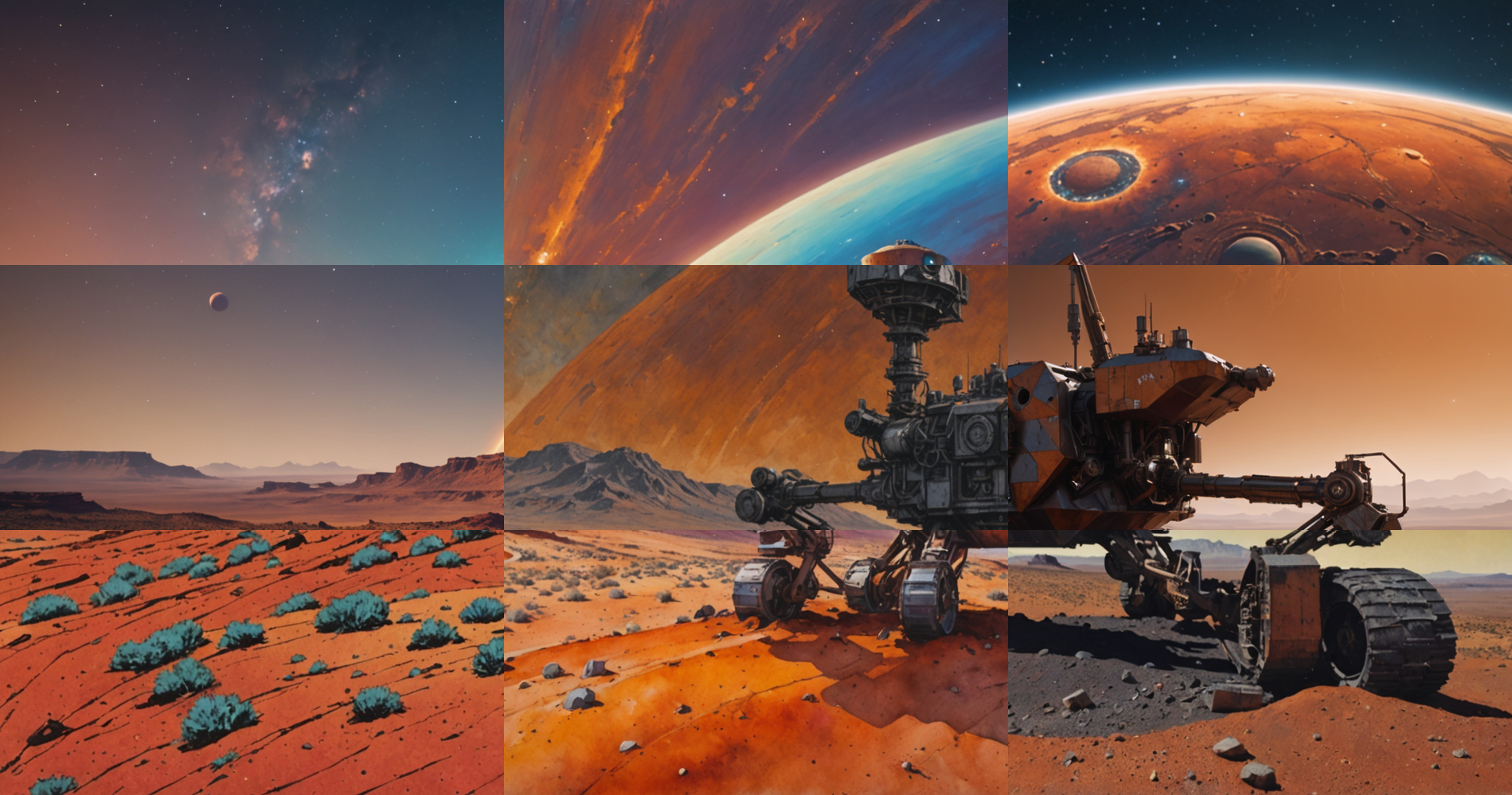
A few other close-ups that would have broken the old version:
Mars rover on rocky terrain:
My girlfriend and I at a pumpkin patch:
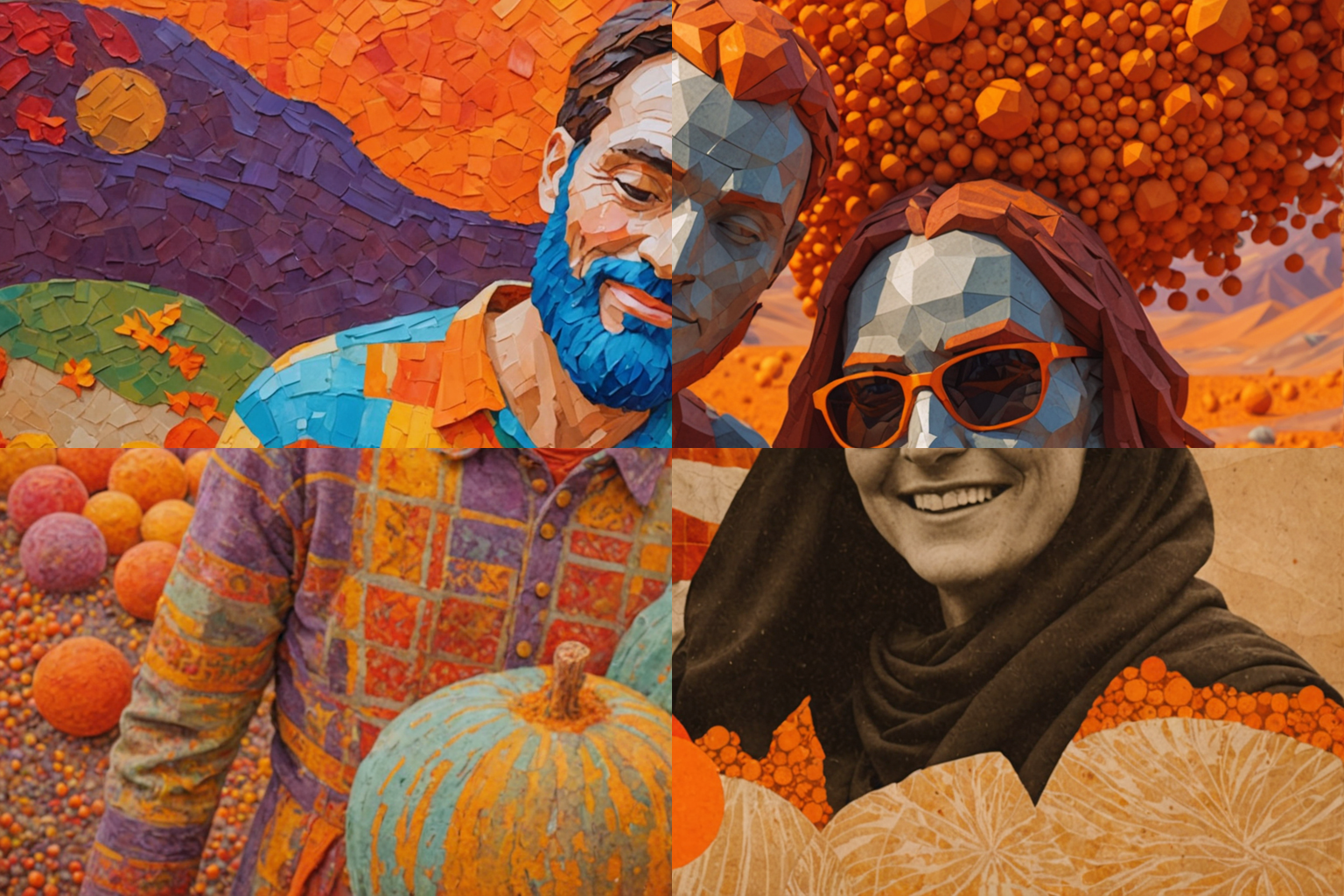
All three hold up. The "doesn't work on close-ups" category is basically gone now.
What I Couldn't Fix: Faces
The face problem is still there, and I'm pretty sure I can't fix it with this architecture. The pumpkin patch photo is actually a good example — the pose, skin tone, and general features line up correctly now (thanks to the image description), but the actual faces aren't recognizably them. Stability AI's diffusion model regenerates faces from scratch on every call. It has no concept of preserving a specific person's identity across styles.
So on faces: the result looks intentionally stylized (charcoal portrait, pop art, watercolor) rather than the "generic AI face filter" look it had before. It's an improvement, but it's not identity-preserving. If you want "that's clearly my friend, just rendered as a watercolor," you'd need face-locking tools like CodeFormer or IP-Adapter Face, which are a whole different class of problem outside what Stability's Control Structure API can do.
Adding a Proper UI
The other thing I added was a Streamlit UI. Before this, the whole thing was CLI only — you'd run python main.py with args and wait. I wanted something I could click around in, especially for running variations quickly.
A few things I put in:
- Live credit balance. The UI hits Stability AI's balance endpoint on load and shows how many credits you have and how many full runs you can do at the current grid size. If you don't have enough credits for a run, it blocks the Generate button and shows a link to buy more.
- Image description preview. After generation, the sidebar shows the description GPT-4o-mini produced for your image, so you can see whether the anchor was good or vague.
- Shuffle. This one turned out to be the most useful thing I added.
The Shuffle Button
Here's what clicked. The pipeline already generates a full styled version of your image for every theme — and then crops out just one tile from each. So for a 4x4 grid, it's generating 16 complete styled images and throwing away most of each one.
That means all the tiles for every style are already sitting in memory. If I want a different arrangement of which style goes where, I don't need to regenerate anything. I just need to remap which cached image gets cropped for which position.
So the Shuffle button doesn't hit any API. It just shuffles an integer list and re-extracts tiles from images already in session state. Every shuffle is free and takes half a second. I use it all the time now — sometimes the individual styles are great but the arrangement doesn't feel balanced, and I'll hit shuffle a few times until something clicks.
Still Not Perfect
There are still cases where this struggles. When the foreground and background have similar colors — a brown dog on brown leaves, for example — the Control Structure API doesn't have enough to distinguish them, and the subject can bleed into the background. That's a limitation of the API itself. It only has edge and depth information, no semantic segmentation, so prompt engineering can't fix it.
And the whole pipeline is now bottlenecked on how well GPT-4o-mini describes the input. If an image is abstract or cluttered enough that the description comes out vague, the anchoring breaks down and you're back to the old behavior. It's a really good band-aid but there's a ceiling to how much you can do with prompt-only changes.
To push past these limits I'd need to swap in something like IP-Adapter or use semantic segmentation masks, which is a whole different approach. But for a day's work on prompt engineering plus a UI, going from "Wilson becomes a jungle" to "Wilson is clearly Wilson in four different art styles" is a real improvement.