I Built a Car Too Fast for Humans — So I Trained an AI to Drive It
View on GitHubI wanted to build a top-down racing game where an AI learns to drive entirely on its own — no pre-programmed logic, no camera, no map awareness. Just 7 distance sensors and millions of attempts. This started as a fun side project a couple months after I graduated, and turned into one of the more satisfying things I've built.
Week One: Making the Car Feel Right
The first thing I did was design the car so it was human-operable. I wanted to be able to drive it myself first. But I didn't want one of those basic setups where you hold right and the car just rotates in place. I wanted it to feel like it's actually moving — momentum, sliding, the car carrying speed through turns. I spent the entire first week just on the car movement, getting it to feel satisfying and look realistic.
The physics use an asymptotic acceleration model — the faster you're going, the harder it is to accelerate further, which gives it that natural feel of building speed on straights and having to manage it through corners. Steering scales with the 4th root of your velocity, so you can't turn when you're stationary, and the faster you go the wider your turns get. It's small stuff, but it makes a huge difference in how the car feels.
Building the Vision System From Scratch
One thing I wanted to do with this project was build as much as I could from scratch. For the AI's vision, I designed 7 probes that shoot out from the car at different angles — one straight ahead, two at 20° on either side, two at 45°, and two pointing directly left and right (90°). Each probe measures how many pixels away the nearest wall is, up to a max range of 300 pixels. I figured the car didn't need to see behind it, so why waste any time calculating probes back there?
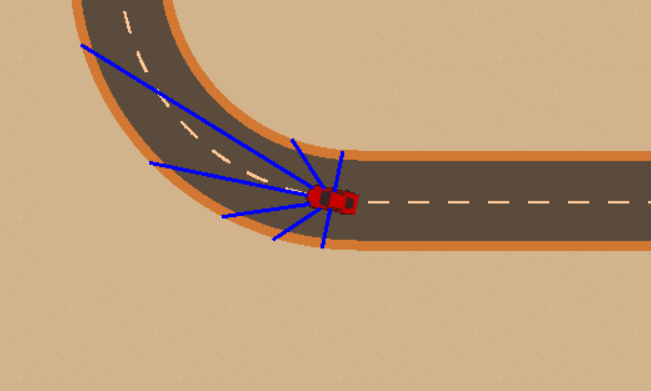
The issue with this approach was that it was extremely laggy at first. To detect where the wall was, I had to check pixel by pixel along each probe. Go one pixel out, check if there's a wall. Nothing? Check two pixels out. Still nothing? Check three. Doing that one step at a time for every single probe, seven of them, every single frame, was absurd. The performance was terrible.
What I did to fix it was use a coarse-then-fine approach. Instead of going one pixel at a time, the probe jumps forward in larger steps — 5 pixels at a time. Once one of those steps hits the wall, it backtracks and scans pixel by pixel over just that last stretch to find the exact distance. So instead of checking potentially 300 individual pixels per probe, you're checking maybe 60 coarse steps plus a handful of fine ones. That saved a ton of calculation cost and made the whole thing actually playable.
The Reward System (The Hard Part)
After getting the probes working, I spent the next week or so on the reinforcement learning model — specifically the reward and punishment system. This was easily the most challenging part of the whole project.
My initial plan was to reward the distance the car traveled from the start — the further it got, the better. This sort of worked, but then the car started dying too much. And once I penalized dying heavily (-10,000 penalty on crash), the car figured out something I didn't expect: it just stopped moving. It was like, "okay, I'm going to get penalized less for not making progress than for dying, so the best strategy is to just sit here." It would barely inch forward or not move at all.
So I switched to rewarding speed instead. The faster the car goes, the more reward it gets per frame. This actually worked pretty well — but if you reward speed too much, the car just floors it and crashes constantly, because going fast is worth more points than staying alive. It figured that was the best approach: go as fast as possible, crash, respawn, go fast again, crash again.
There was a lot of playing around with the balance. The final system gives +5 per unit of speed (capped at 8), -1 base penalty per frame (so sitting still is always net negative), extra penalties for probes detecting walls getting close, and that -10,000 on crash. After a couple of days of tweaking, I got it working on one map. I left it training for about three days and it didn't die once — it just drove around the track cleanly. That's where I left it initially.
Coming Back To It
I wasn't happy with where I'd left things. For one, it was just one map — the car had basically memorized that specific track rather than actually learning to drive. It was also going kind of slow. It worked, but it didn't look like a race car driving around a track. It just looked like a car cautiously navigating. And the track itself was pretty basic looking — I designed it myself and I'm not a designer.
I came back to it with three goals:
- Make the maps look better
- Get more maps
- Make it go faster
The Map Editor and New Tracks
To facilitate building more maps, I built a tile-based map editor. Everything is on a grid of 128×128 pixel tiles — straights, corners, wide sweeping turns, S-curve connectors, and start/finish lines. I put together 10 different color schemes (Classic, Desert, Night, Snow, Sunset, Neon, Forest, Urban, Tropical, Volcanic) and the tilesets are generated programmatically from those color palettes. So adding a new theme is really just picking a few colors.
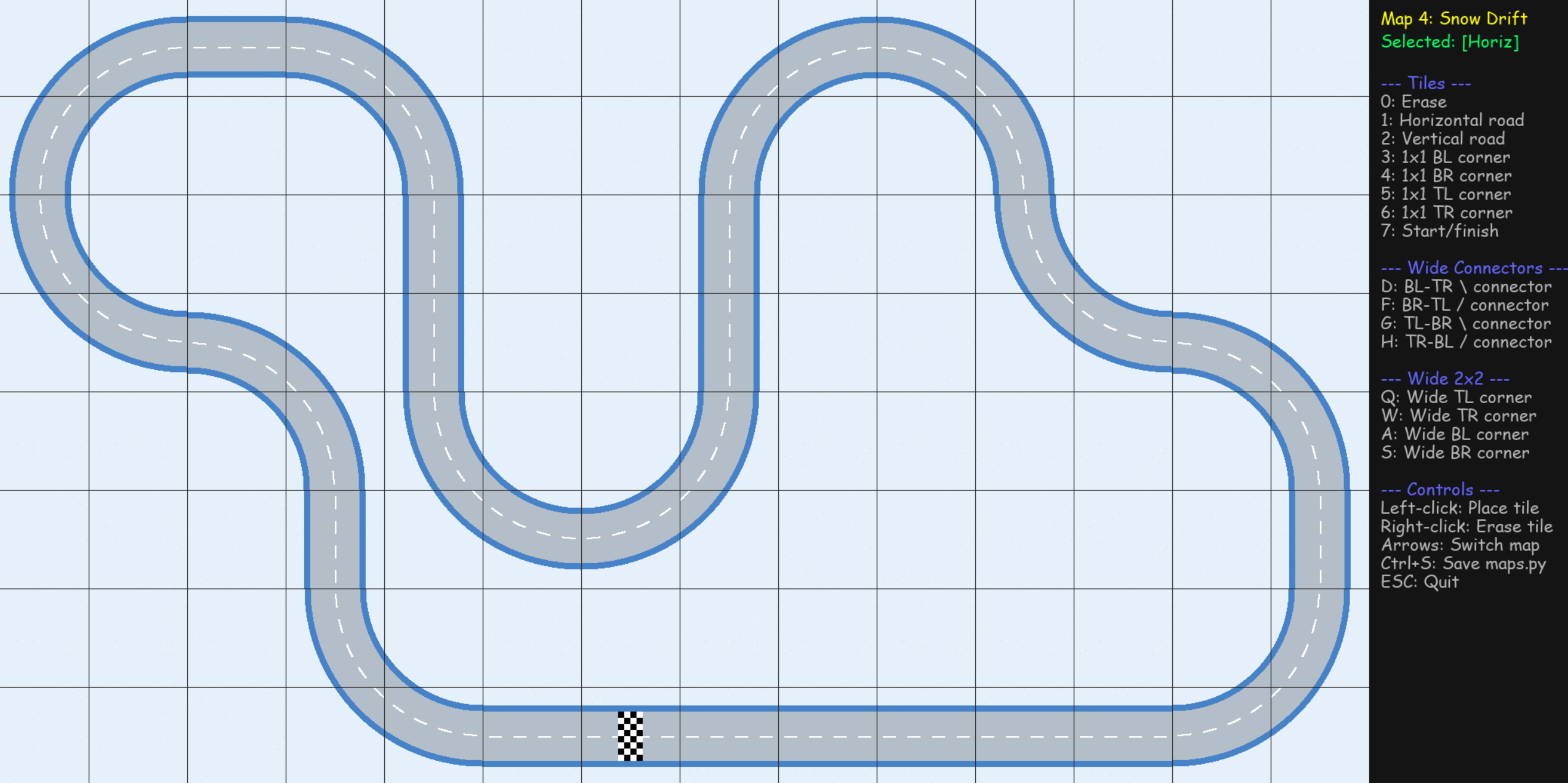
With the editor I designed 10 maps with various shapes and difficulty levels. Each map is also effectively two maps because if you flip the car's starting direction by 180°, it drives the track in reverse. So the AI is really training on 20 different scenarios.
Multi-Car Training
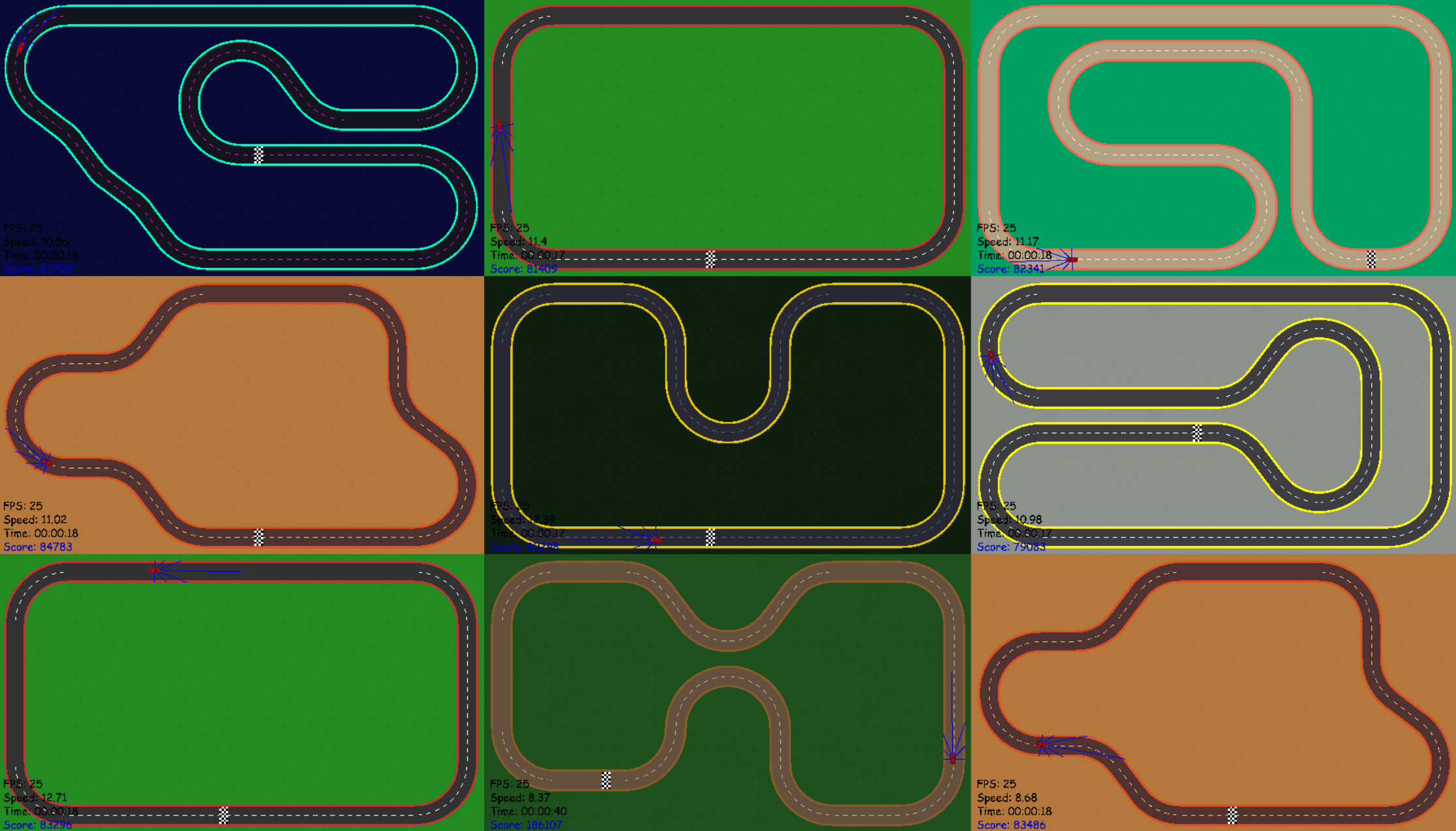
Before, I was only training one car at a time — it would go around the track until it crashed, then start again. Now I can train a whole grid of cars simultaneously, all on the same screen, each on a random map going a random direction. They all feed experience into the same model. It's not just faster — it forces the AI to actually learn how to drive instead of memorizing one track.
Speed
I significantly cranked up the speed. How much? Whenever I try to drive around the track myself now, it is physically impossible for me to stay on the map. The acceleration is so quick that I just start zipping around and I literally cannot react fast enough. And the AI makes it look easy — it tears around these tracks at full speed like it's nothing.